
oppofindx3pro火星版一直以来受到了许多小伙伴的小伙伴喜爱,在oppofindx3pro火星版如何设置智能5G呢?下面是天天下载介绍oppofindx3pro火星版设置智能5G步骤,有需要的小伙伴一起来下文看看吧,希望可以帮助到大家!
oppofindx3pro火星版如何设置智能5G?oppofindx3pro火星版设置智能5G步骤

1、打开手机桌面上的【设置】图标。
 2、在设置页面选择【SIM卡与流量管理】选项。
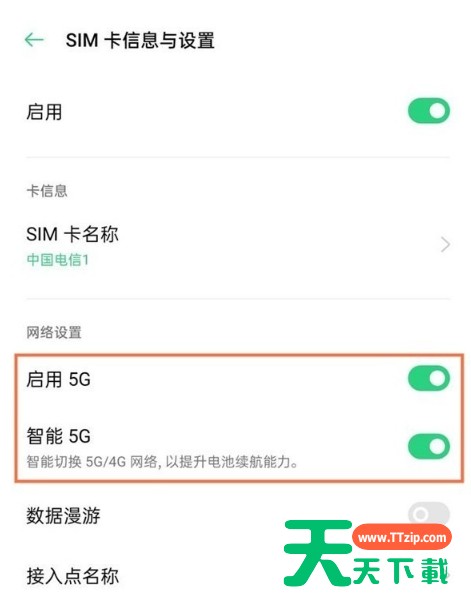
 3、点击上网卡,将【启动5G】和【智能5G】后面的开关开启即可。
 以上这里为各位分享了oppofindx3pro火星版设置智能5G步骤。有需要的小伙伴赶快来看看本篇文章吧!
@天天下载